
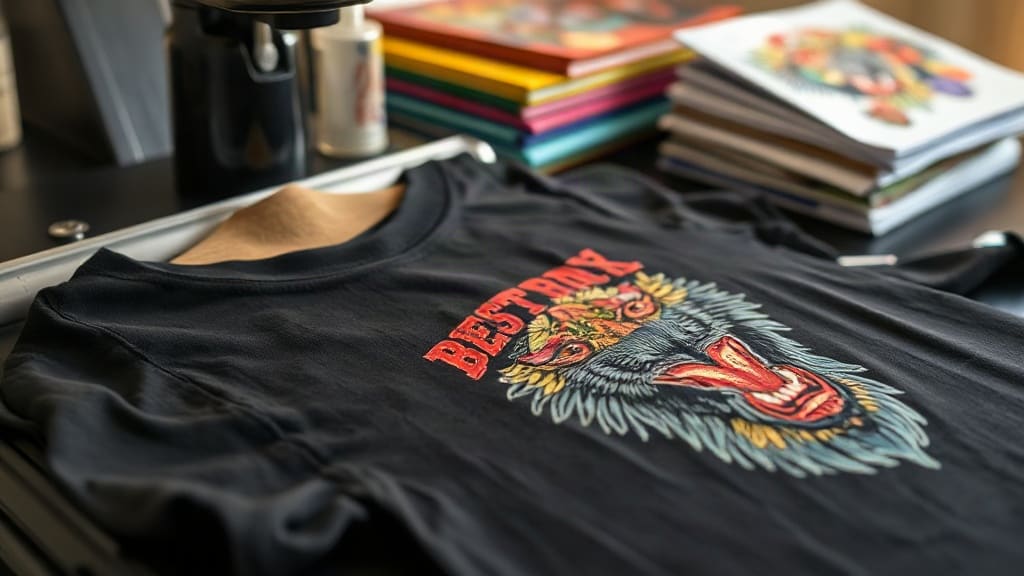
When you pull a custom-printed shirt from the dryer and the design is still bright and intact after months of wear, that's the magic of DTF transfers. Unlike traditional screen printing or vinyl, DTF (Direct to Film) transfers have changed the game for small businesses, crafters, and anyone who wants professional-looking apparel without the hefty setup costs. Whether you're printing a single team jersey or a hundred promotional tees, understanding how DTF works can save you time, money, and frustration.
What Are DTF Transfers?
DTF transfers are a type of heat-applied decoration where your design is printed onto a special film, coated with a thermoplastic adhesive powder, and then heat-pressed onto fabric. The process uses a DTF printer with pigment-based inks (often CMYK plus white) to create the image on a PET film. Once printed, the film is dusted with hot-melt adhesive powder, cured, and then ready to transfer. When you press it onto a garment, the adhesive melts and bonds the ink to the fabric, creating a flexible, stretchable, and durable print.
What sets DTF apart is its ability to work on almost any fabric: cotton, polyester, blends, even nylon and leather. No pre-treatment is required, and you don't need to worry about color restrictions like you do with vinyl. The white ink layer acts as a base, so your designs pop on dark colors without the need for multiple screens or layers.
How DTF Transfers Differ from Other Printing Methods
If you've tried screen printing, you know it's cost-effective for large orders but a pain for small runs because of setup fees and color limitations. DTF flips that: no screens, no minimums, and full-color designs in one go. Compared to DTG (Direct to Garment), DTF doesn't require pre-treatment and works on a wider range of fabrics. And unlike vinyl, you're not weeding tiny details or layering multiple colors. The result is a soft, lightweight print that feels like part of the shirt.
DTF vs. DTG
DTG prints directly onto the garment, which is great for 100% cotton but can be tricky on blends and dark colors. DTF, on the other hand, adheres to almost any material and doesn't need pre-treatment. The trade-off? DTF transfers have a slightly thicker hand feel due to the adhesive layer, but many find it negligible after a few washes.
DTF vs. Vinyl
Vinyl is perfect for simple one-color designs, but for multi-color or photographic images, you'd need to layer and align multiple pieces, which is time-consuming. DTF handles complex designs in a single press, making it a favorite for detailed logos and gradients.
The DTF Transfer Process Step by Step
Understanding the workflow helps you troubleshoot and get consistent results. Here's what happens from design to finished product:
- Design Preparation: Create your artwork in a vector or high-resolution raster format. Mirror the image horizontally before printing, because the transfer is pressed face-down.
- Printing: Load the PET film into your DTF printer. The printer lays down CMYK inks followed by a white ink layer. Some printers also use a special adhesive ink.
- Powder Application: While the ink is still wet, the film is sprinkled with hot-melt adhesive powder. You'll want an even coat; too much powder can cause a rough texture, too little leads to poor adhesion.
- Curing: The film goes into a curing oven or under a heat press for a short time to melt the powder. This step is critical; under-curing means the transfer will peel, over-curing can make it brittle.
- Heat Pressing: Set your heat press to around 300-320°F (150-160°C) with medium pressure. Place the transfer on the garment, cover with a Teflon sheet or parchment paper, and press for 10-15 seconds.
- Peeling: Wait for the transfer to cool completely (cold peel) or peel while warm (hot peel), depending on your film type. Cold peel generally gives a smoother finish.
Each step has variables, so test with your specific equipment and materials to dial in the perfect settings.
Why Choose DTF Transfers for Your Business or Craft
DTF transfers offer a unique blend of flexibility and quality that appeals to both hobbyists and commercial printers. Here are the standout benefits:
- No color limits: Print gradients, photos, and fine details without extra cost.
- Fabric versatility: Works on cotton, polyester, blends, nylon, leather, and more.
- No pre-treatment: Save time and supplies compared to DTG.
- Durability: With proper application, prints withstand dozens of washes without fading or cracking.
- Cost-effective for short runs: No screens or setup fees, so you can profit on small orders.
- Soft hand feel: Modern DTF films and powders produce a thin, flexible print.
For a small business, this means you can offer custom apparel without investing in multiple machines or outsourcing. For crafters, it opens up a world of design possibilities beyond vinyl.
Common Challenges and How to Overcome Them
Even though DTF is forgiving, you might run into issues. Here's how to troubleshoot the most common ones:
Poor Adhesion or Peeling
If the transfer peels after washing, it's usually due to insufficient pressure, incorrect temperature, or under-cured powder. Ensure your heat press is calibrated and apply firm, even pressure. Also, make sure the powder is fully melted; it should look glossy, not matte.
Dull or Faded Colors
This can happen if the white ink layer is too thin or if the transfer is over-pressed, causing the ink to sink into the fabric. Try increasing the white ink density in your RIP software or reducing pressing time.
Sticky or Gummy Feel
Excess powder or incomplete curing can leave a tacky surface. Brush off excess powder before curing and ensure your oven or press reaches the recommended temperature.
Cracking in the Wash
Insufficient stretch in the transfer or over-stretching the garment can cause cracks. Use a quality DTF film designed for stretch and avoid over-stretching when wearing.
Tips for Flawless DTF Transfers
After countless presses, I've picked up a few habits that make a big difference:
- Pre-press your garment: This removes moisture and wrinkles, ensuring a smooth surface.
- Use a Teflon sheet: It protects your heat press and prevents ink from sticking.
- Test your settings: Every printer, powder, and film behaves differently. Create a test swatch before a big order.
- Store transfers properly: Keep them in a cool, dry place away from direct sunlight to prevent premature curing.
- Wash inside out: Advise customers to wash garments inside out in cold water and tumble dry low to extend the life of the print.
These small steps add up to professional results that keep customers coming back.
Applications of DTF Transfers
DTF isn't just for t-shirts. Its versatility makes it suitable for:
- Sportswear: Jerseys, leggings, and jackets benefit from the stretchable, durable print.
- Corporate apparel: Polos, hoodies, and caps with detailed logos.
- Merchandise: Tote bags, aprons, and hats.
- Home décor: Pillow covers, quilt patches, and fabric banners.
- Promotional items: Giveaways that need to look sharp without breaking the bank.
If you're in the custom apparel business, offering DTF expands your service menu without a steep learning curve.
Frequently Asked Questions About DTF Transfers
How long do DTF transfers last?
With proper application and care, DTF transfers can last 50+ washes. The key is correct curing and pressing, and advising customers to wash inside out in cold water.
Can I use DTF transfers on 100% polyester?
Yes, DTF works great on polyester, including athletic wear. The low pressing temperature (around 300°F) prevents scorching, and the adhesive bonds well to synthetic fibers.
Do I need a special printer for DTF?
You need a DTF printer that uses pigment inks and has a white ink channel. Converted Epson printers are popular, but dedicated DTF printers are also available. You'll also need a heat press and curing oven (or a heat press for curing).
What's the difference between hot peel and cold peel DTF film?
Hot peel film allows you to remove the carrier sheet immediately after pressing while the transfer is still hot, which speeds up production. Cold peel requires the transfer to cool completely before peeling, resulting in a smoother, more matte finish. Both are durable; choose based on your workflow and desired look.
Can I layer DTF transfers?
Yes, you can layer DTF transfers for multi-color designs, but it's rarely necessary since DTF prints full color in one go. If you do layer, press each layer separately and use a lower temperature for subsequent layers to avoid disturbing the first.
DTF transfers have democratized custom apparel printing, putting professional-quality results within reach of anyone with a heat press. By mastering the process and avoiding common pitfalls, you can create wearable art that delights customers and elevates your brand. Whether you're just starting or looking to expand your offerings, DTF is a skill worth adding to your toolkit.